Initiates new hire
Opens profile formEnters personal dataSets start date & roleSelects employment typeReviews and submits for activation
SAP is a German-based multinational software corporation and the market leader in enterprise resource planning (ERP) software, designed to help businesses manage complex operations, including finance, HR, logistics, and inventory, in a centralized, real-time system.
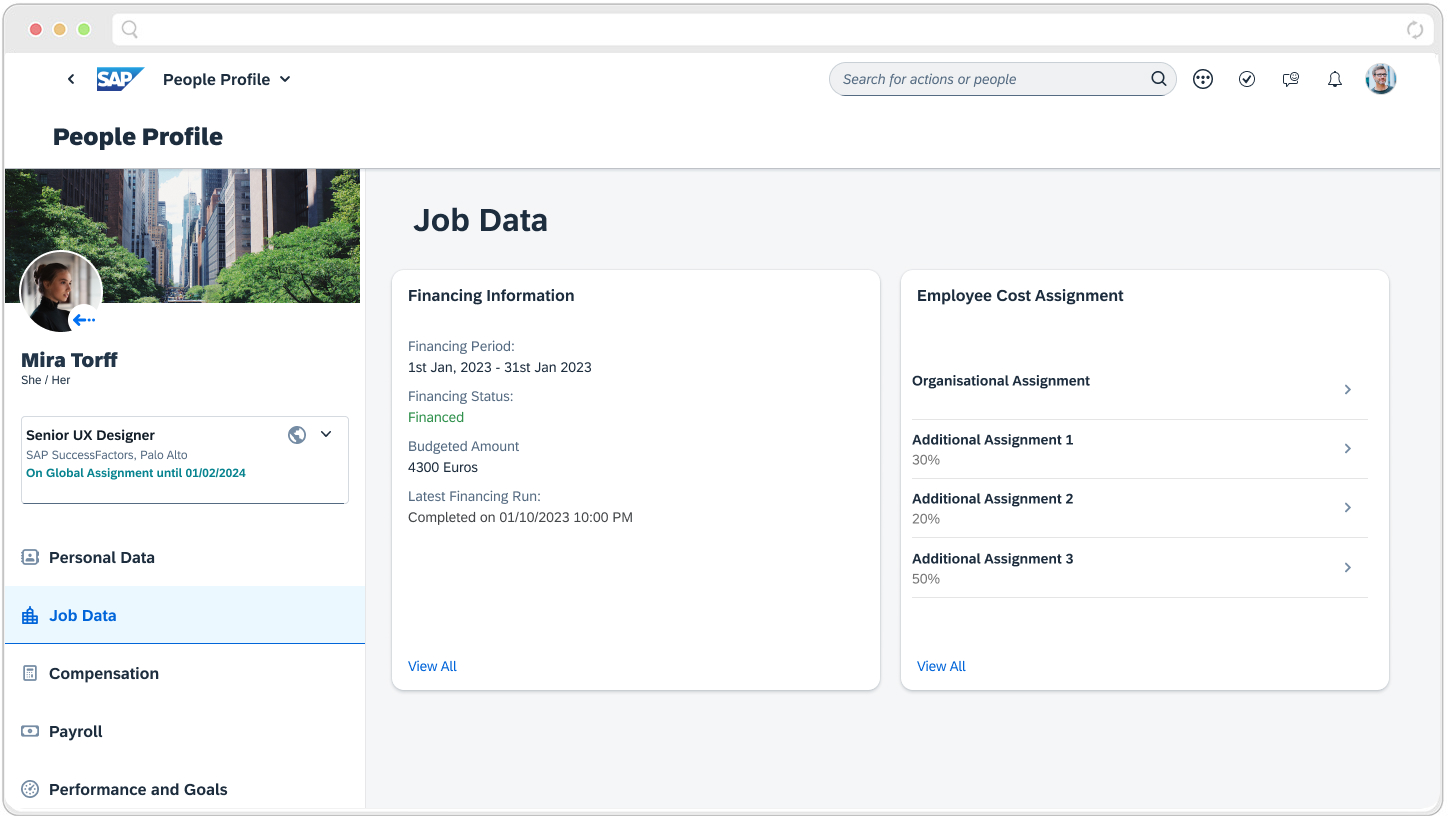
The task at ahand was to design a Human Resources (HR) app that focuses entirely on cost control, financing and temporary assignement with sensitive workflows, and very different user needs—all at once. Some of the challenges were:
For this project I interviewed HR staff and managers to understand real pain points. Additionally I created 2 personas and a detailed user journey to identify who the real users and workflows were. We mapped mapped down the architecture and core modules (People profile, Financing information, Temp assignment, Cost assignment, Financing runs) and how they connect and prioritized features as well testing before anything gets built
The data I collected from the research helped me create 2 personas embodying 2 different user types in my target users.


Some of the problems we identified additionally were:
The research highlights a workflow that is highly fragmented, manual, and error-prone. Users lack basic guidance, such as checklists for missing fields, while critical documents are scattered across multiple tools, forcing duplicate data entry from emails. Key processes like wage and percentage inputs are handled manually, leading to inconsistencies and drift, especially without ERP auto-sync. Important structures, like pay grade tables, live outside the system in Excel, and essential features (e.g., temp data) are buried and hard to access. There is little built-in validation—no overlap detection on dates, no real-time total checks, and no upfront visibility into cost impact—making errors easy to introduce and hard to catch. Navigation and data access are also weak, with non-searchable GL codes and difficult-to-find run histories. Finally, users face heavy operational risk due to too many exceptions to manage, combined with a lack of safeguards like undo functionality after posting runs.
We needed to design an app with tailored views and filters for HR teams and managers, not one-size-fits-all. Each user should only see what's relevant to them. In addition these points were extremely important:
Instead of bulding wirframes it was much quicker to just use the SAP Fiori Floorplans to build flows directly. Here are some examples of 3 user flows including one for mobile:
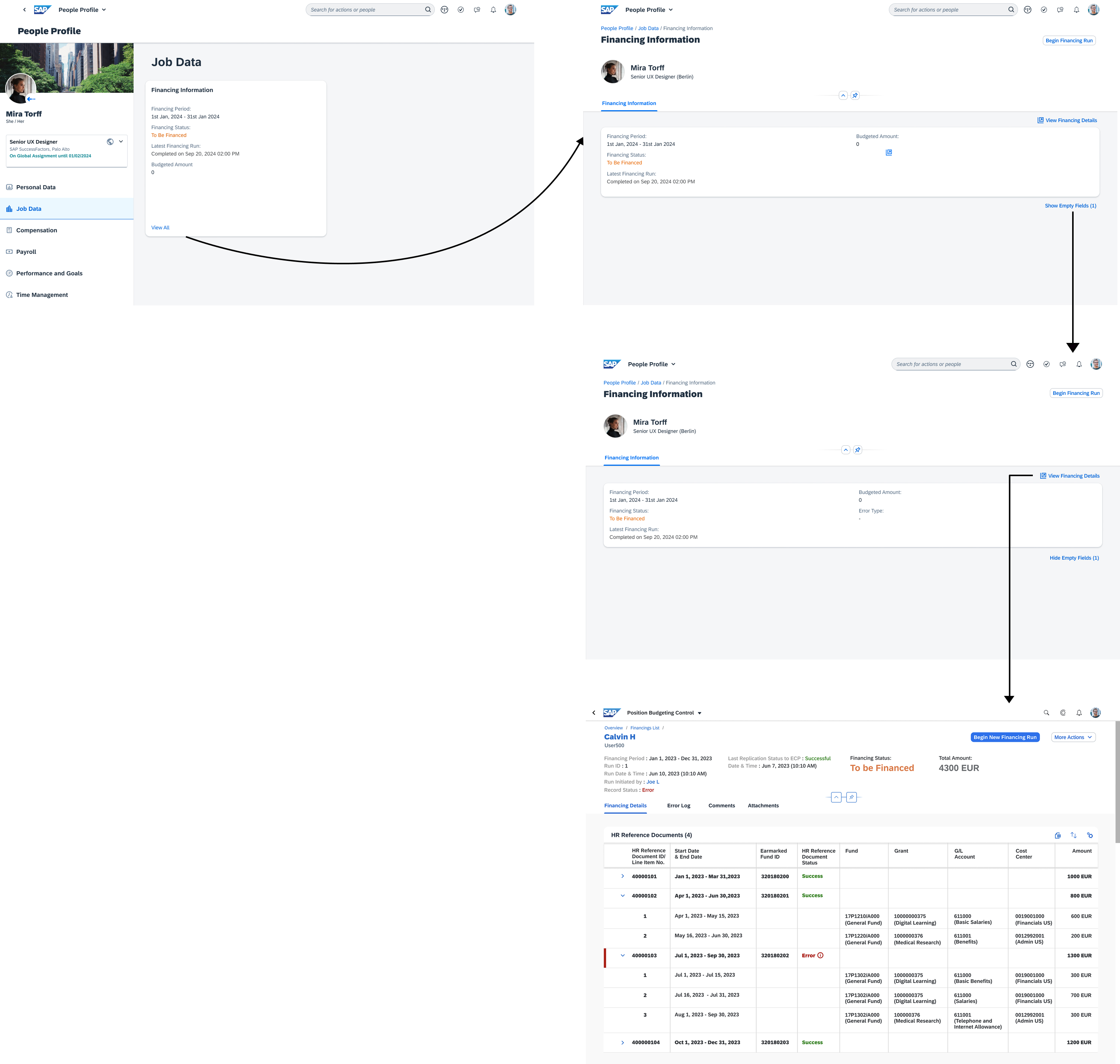
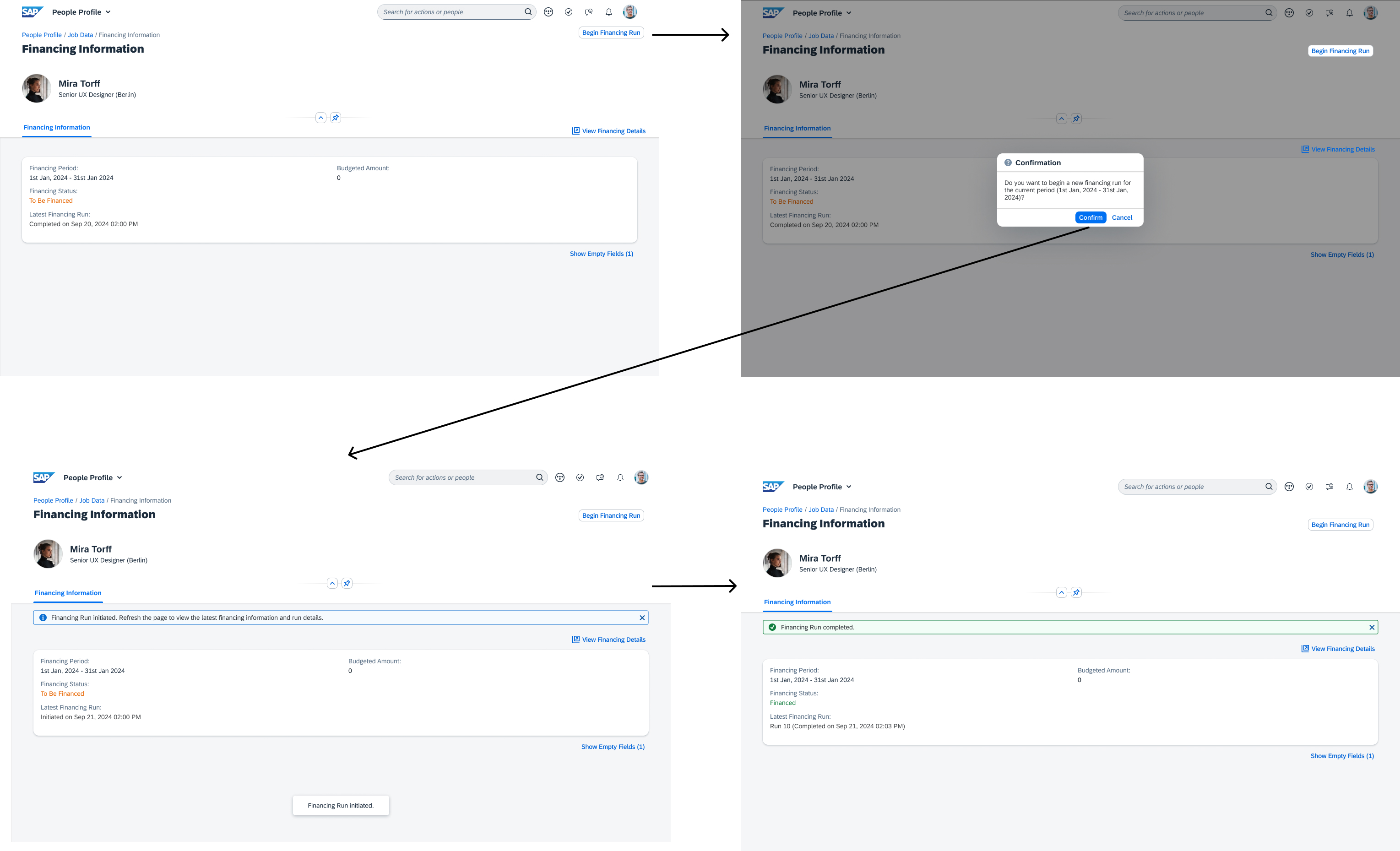
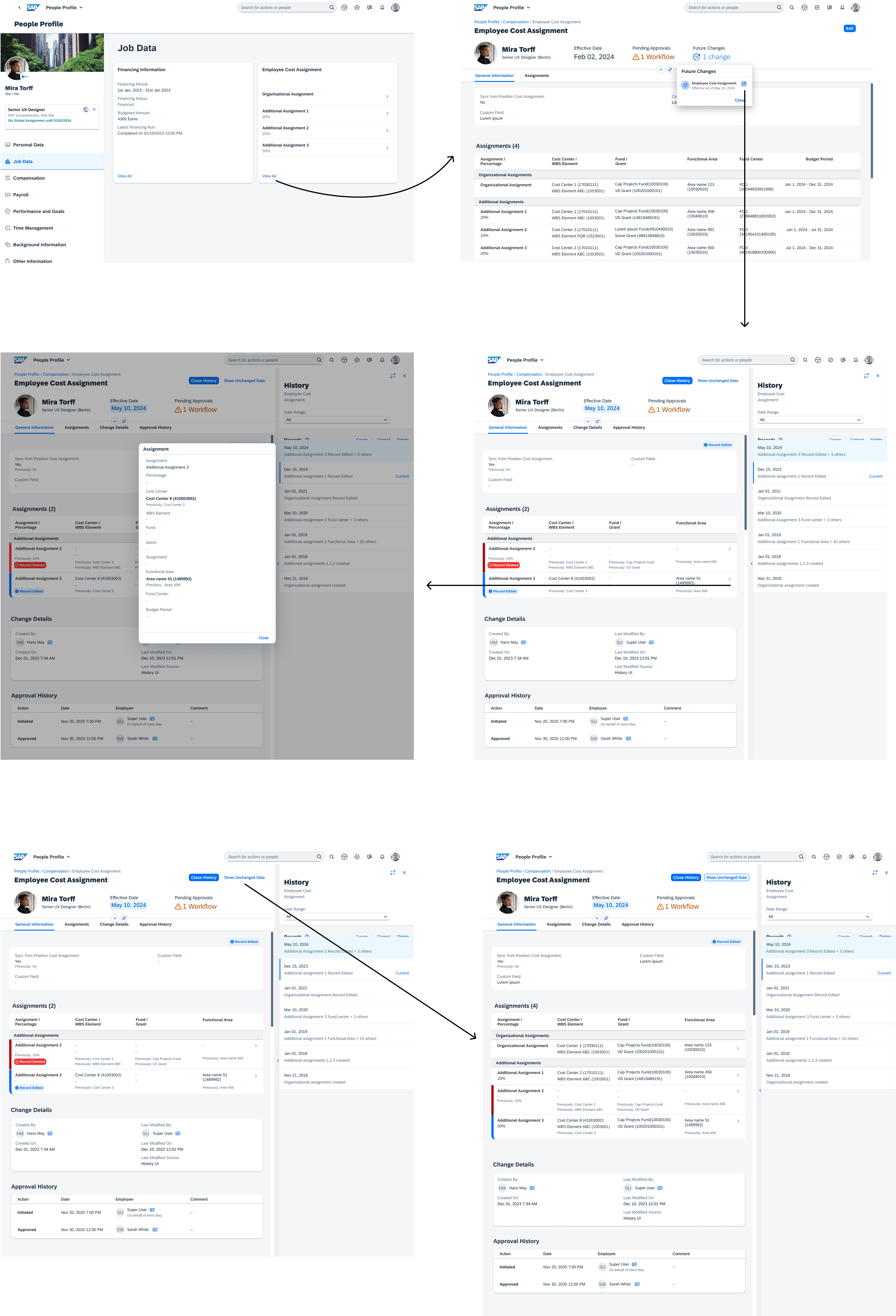
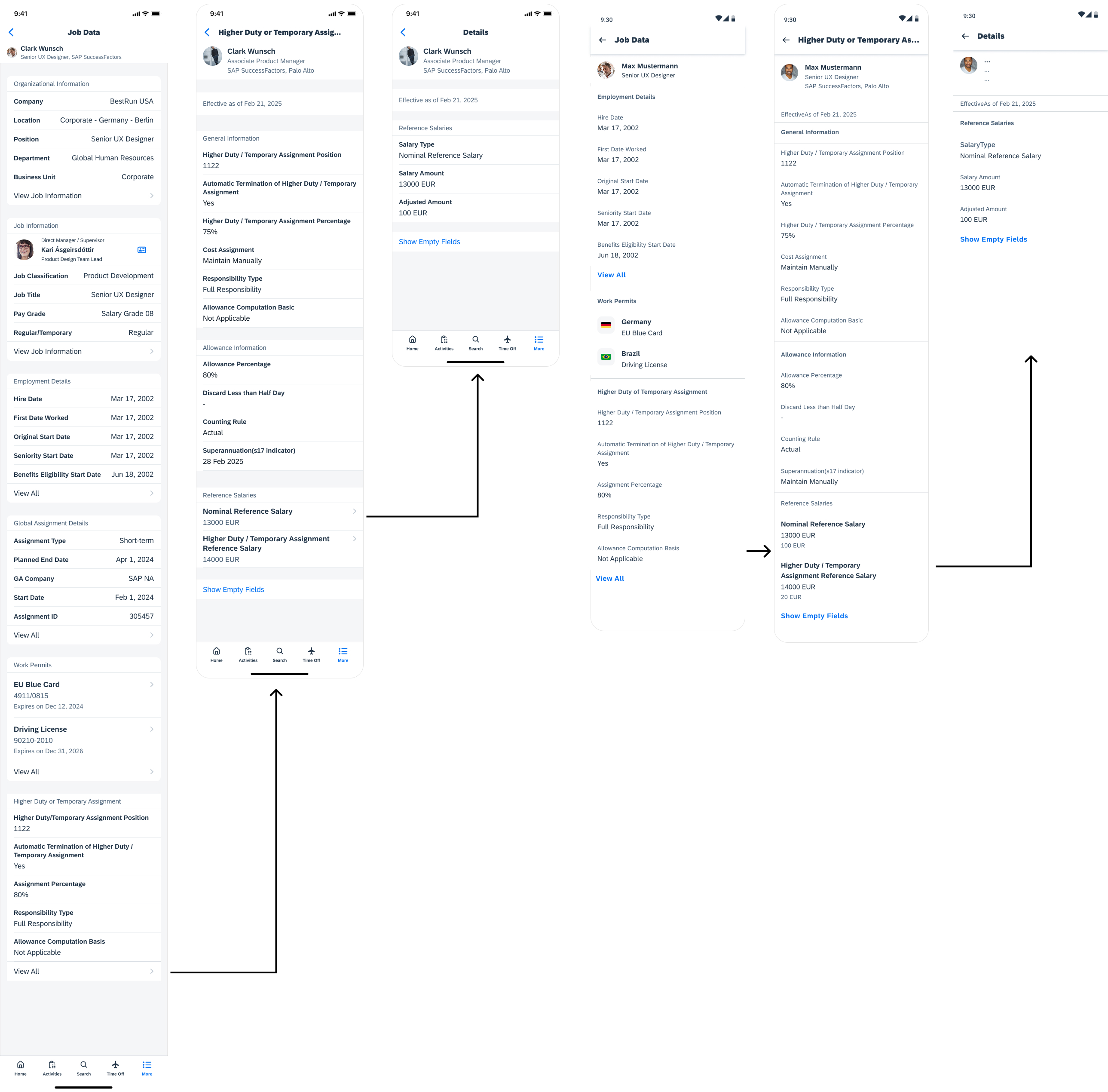
After completing the design, the outcome was a much more streamlined and reliable HR app experience. Key improvements included reduced manual work through system integrations and automation, higher data accuracy with real-time validation and structured inputs, and better visibility into costs, allowing users to immediately understand the financial impact of their actions. Workflows have been simplified and centralized, making it easier to navigate, track approvals, and access critical data like financial run history or pay structures.
Thanks for stopping by!
If you would like to know more about my design process or discuss a cool idea, please do not hesitate to contact me.